Plan your day around the time you actually have.
Turn your drafts into a day that fits, work through it, and see where the time went. All encrypted before it ever leaves your browser.
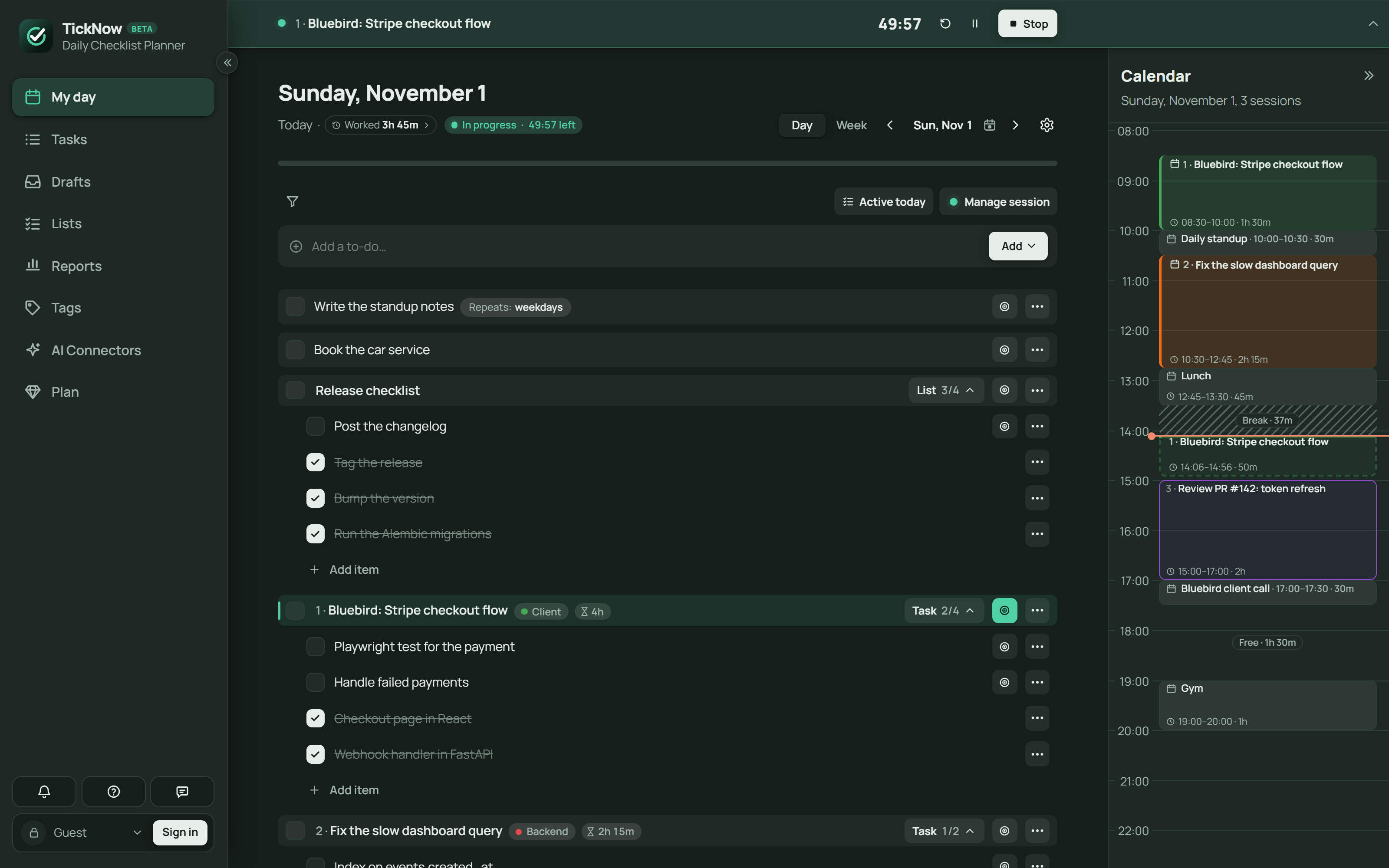
Drafts to tasks
From draft to done
- Keep a draft for every project or client. When you plan your day, pick items straight into a task or your to-dos.
- Tick an item anywhere and it's done everywhere. Each item is in one place at a time, so nothing gets planned twice.
- Keep lists you use again, like groceries or a workout, and add one to any day as a fresh checklist.
- Unfinished work comes forward to the next day only when you decide.
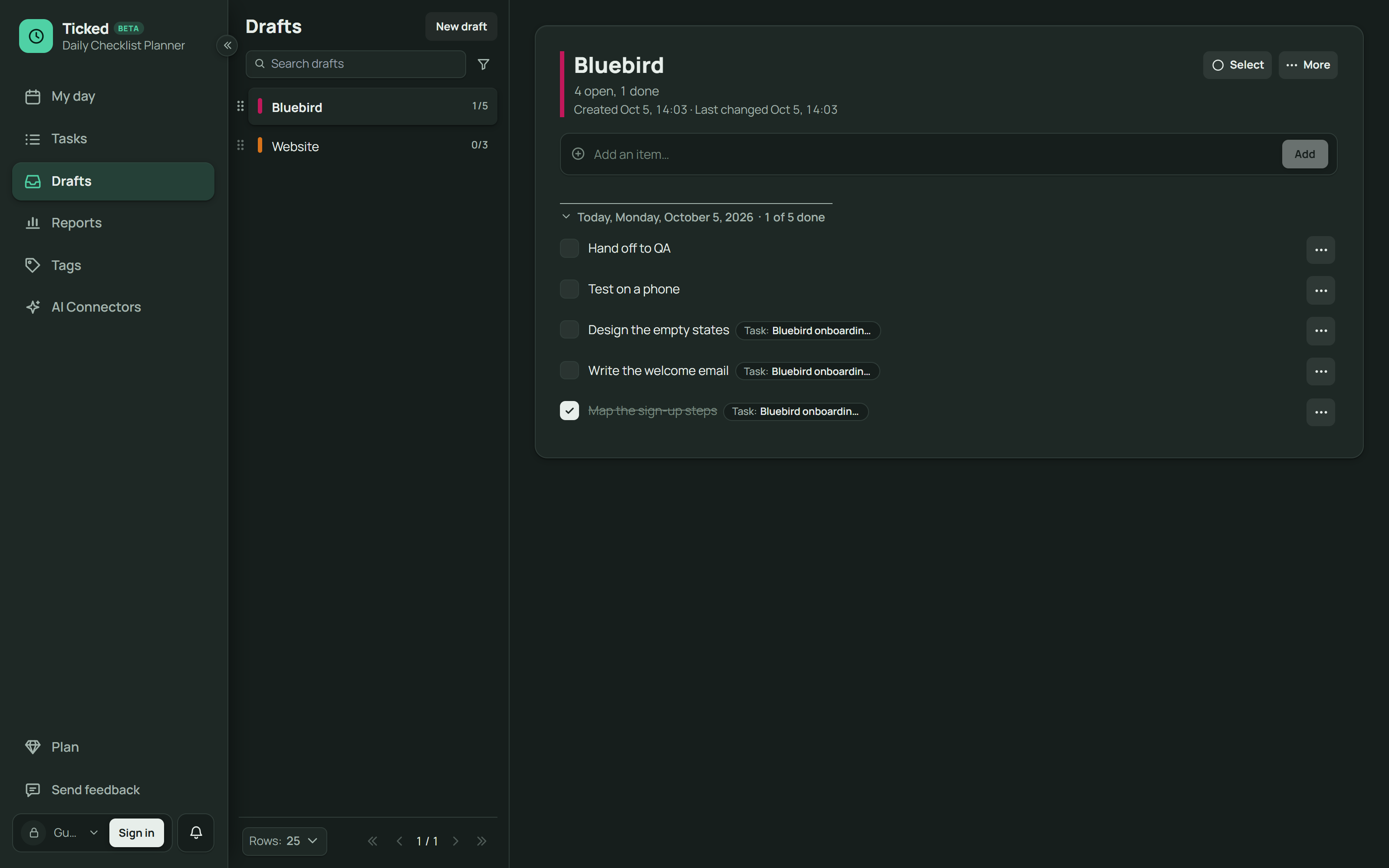
Estimates and sessions
Plan by time, not just by list
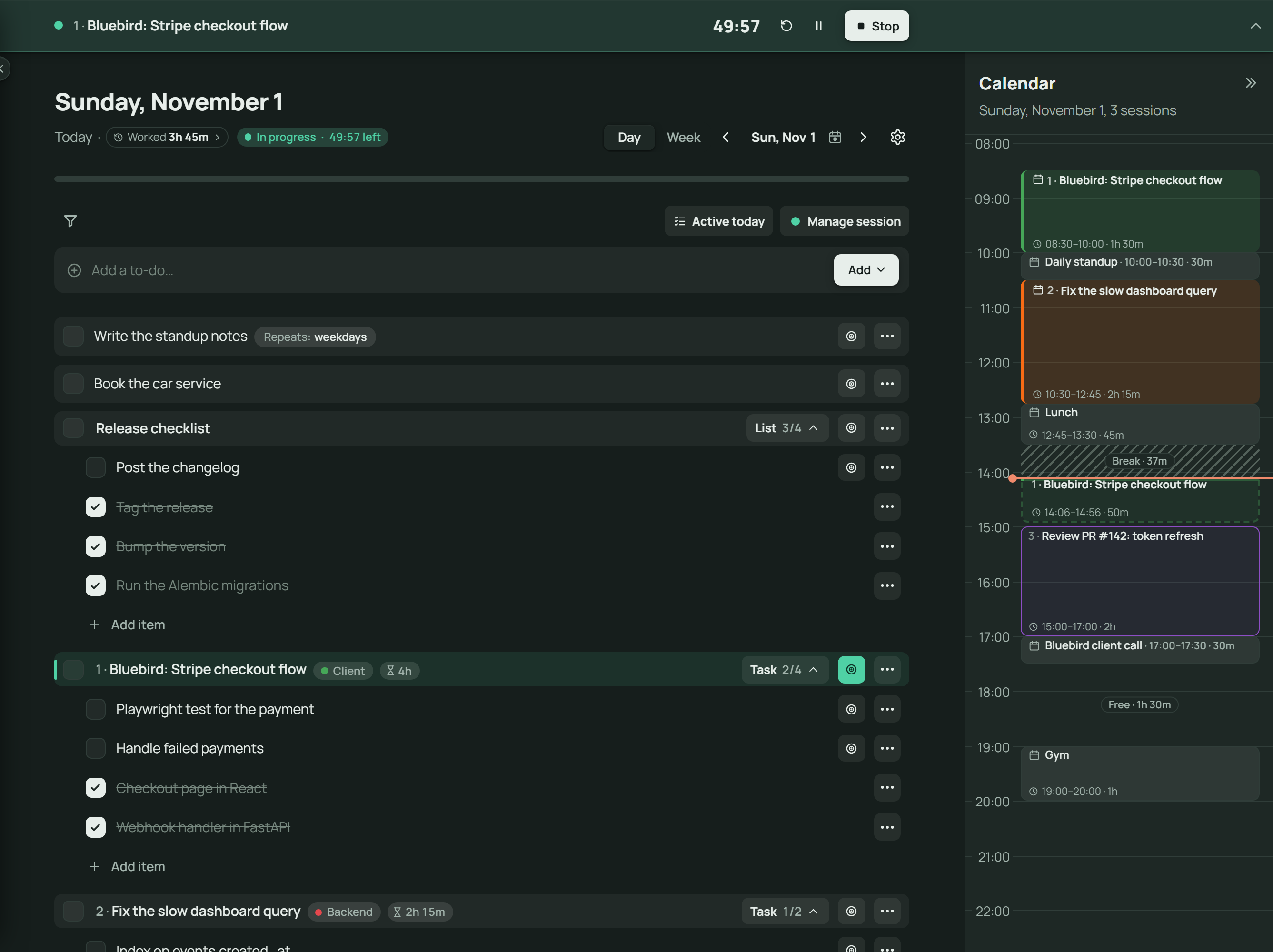
- Give each task your own time estimate, or place it on your calendar, and see how your day adds up.
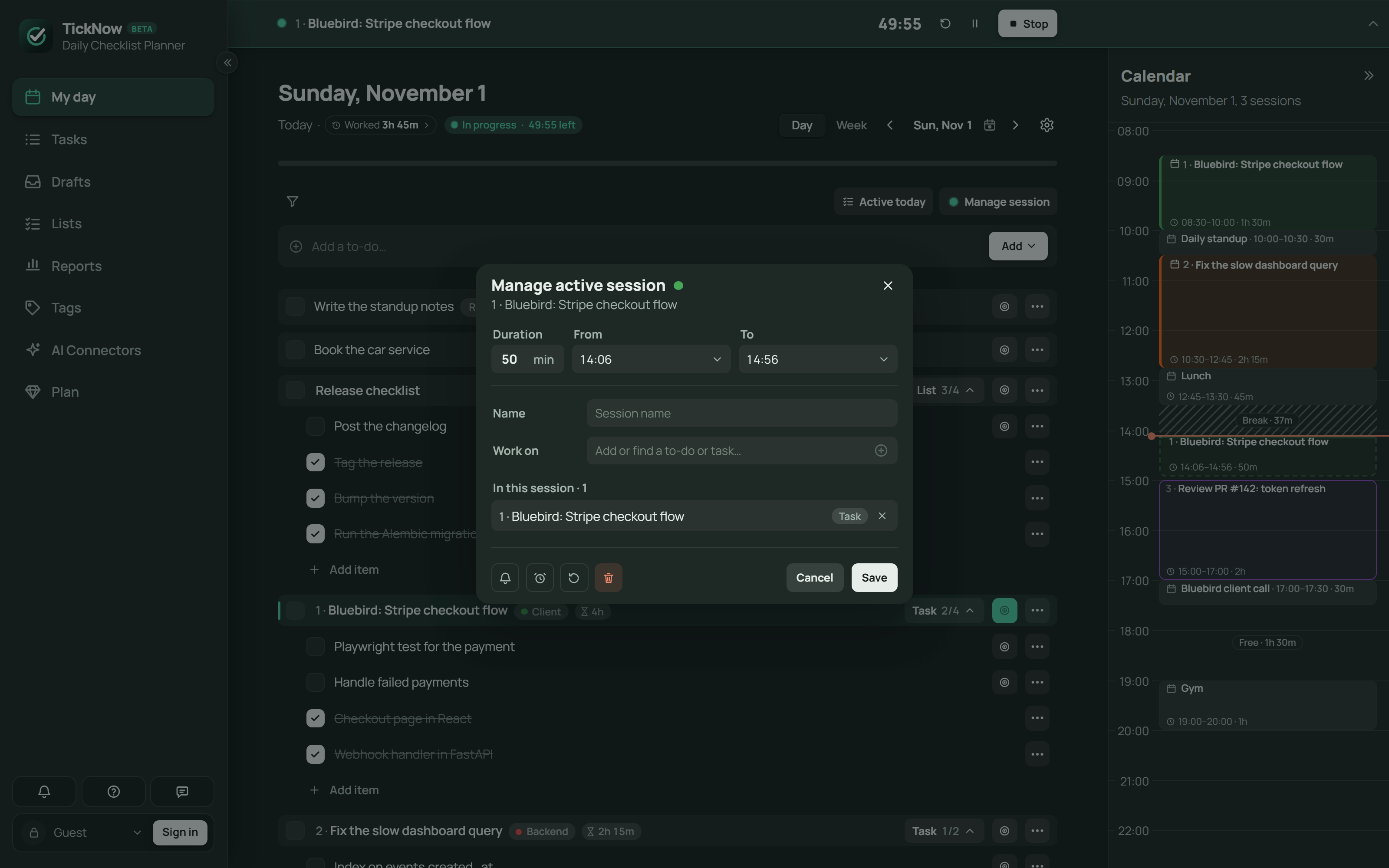
- Start a focused session, choose the items you're working on, and tick off what you finished when time is up.
- Go past a task's estimate and TickNow shows how many minutes over you are, in the timer and on the task.
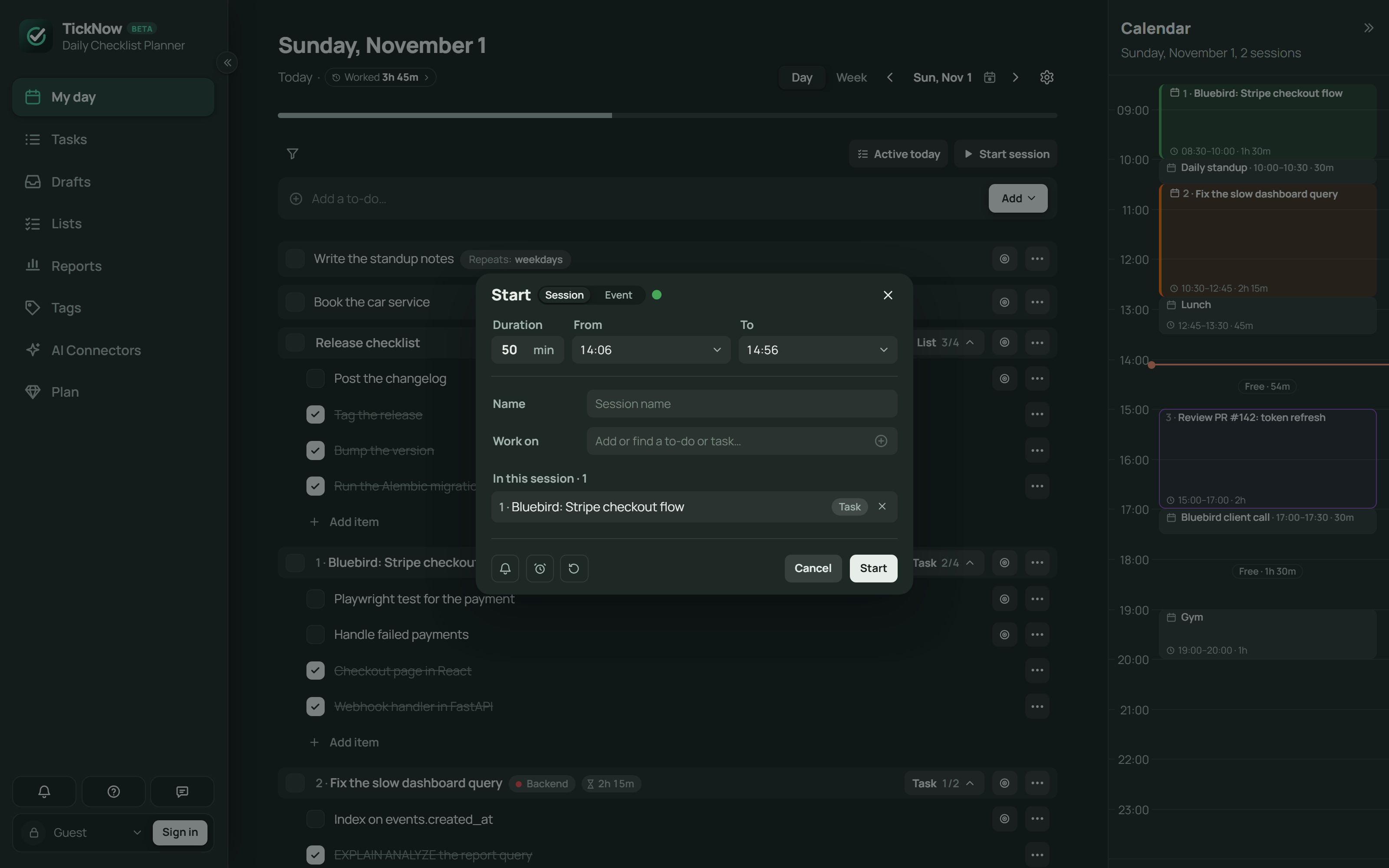
Calendar
Your day and week on one calendar
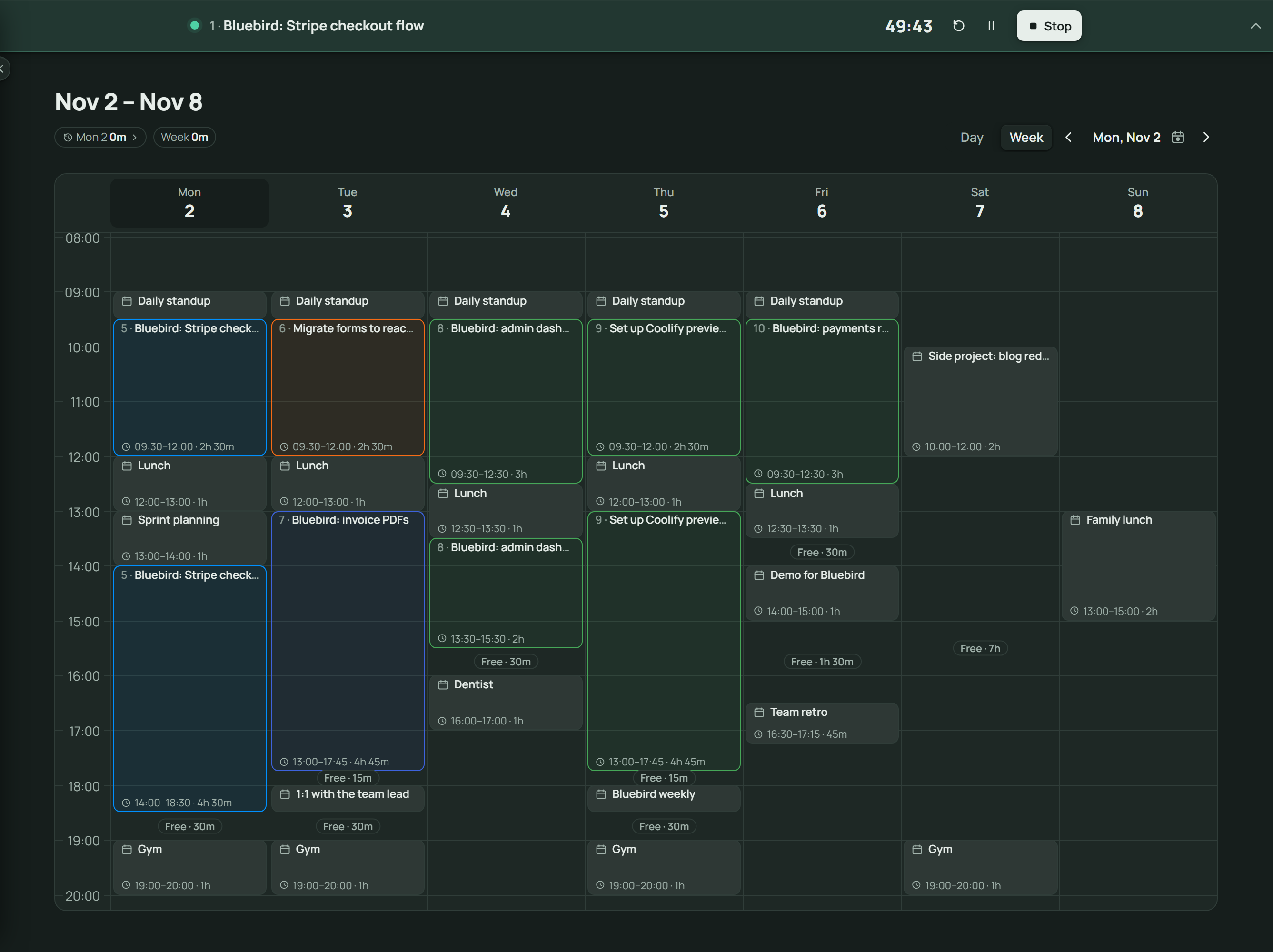
- Drag over a free time to plan a task or your to-dos, and move or resize anything until the day adds up.
- Switch to Week to plan the days ahead side by side, or stay on Day for today.
- Bring in your meetings from Google Calendar and plan around them. TickNow only reads them and never changes your calendar.
- Add your own meetings and appointments too. The ones that count as work add to your worked time.
Reports
See where your time went
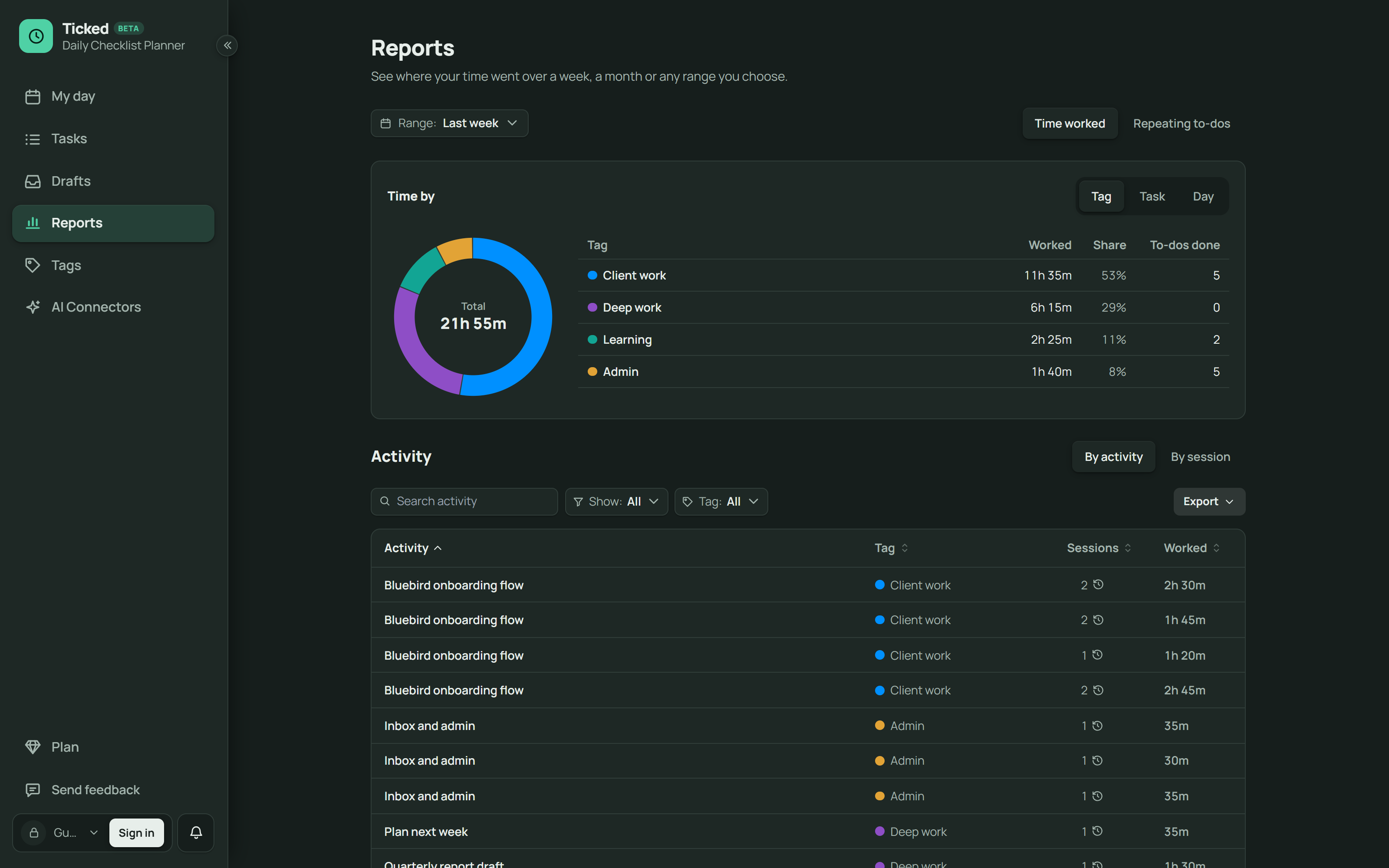
- Every session lands on your day's calendar, so you see what you actually worked, not just what you planned.
- Reports break your time down by tag, by task and by day, and count the to-dos you finished under each tag.
- Search every session, filter by tag, and export to Excel or CSV. Forgot the timer? Add the time afterwards.
- Look back over all your history, not just the last 30 days.Pro
Encryption
Private by design
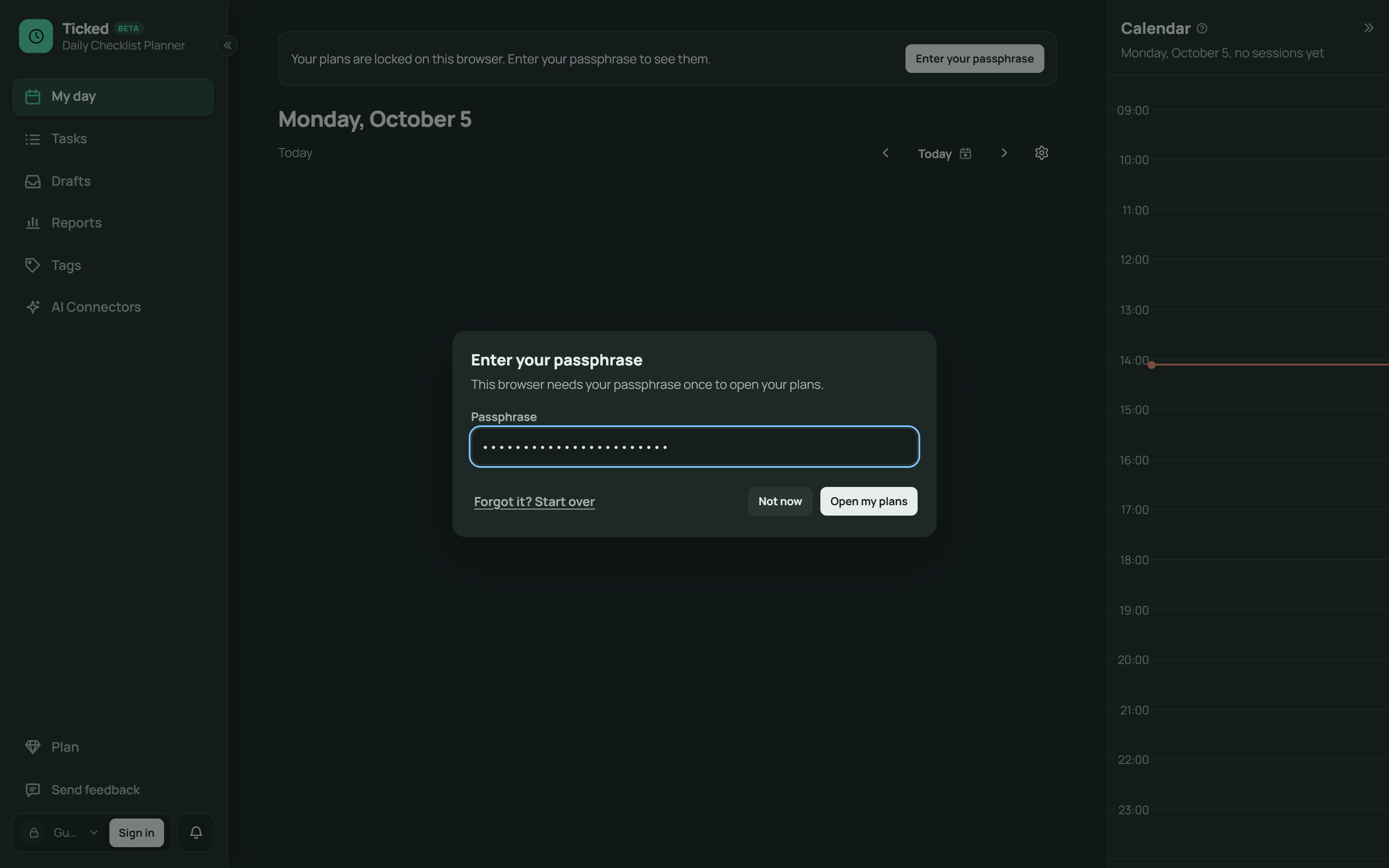
- Your plans are encrypted in your browser before they're saved, so nobody can read them, not even us, unless you share them with your AI assistant.
- Forgot your passphrase? Set a new one on any device where your plans are open. If none are, they can't be recovered, so keep it somewhere safe.
Little things that keep your day on track
Repeats
To-dos, lists and events every day, every weekday or the days you pick, with pause, stop and streaks.
Reusable lists
Groceries, a workout or a packing list: keep it once and add it to any day as a fresh checklist.
Reminders and wrap-up alerts
A nudge before a block or event starts and before it ends, as a sound, a voice or a desktop notification.
Tags
Color-code tasks, to-dos and draft items, and see your time by tag.
Move items anywhere
Send one item or several to another day, a task or a draft.
Change your passphrase
From any device where your plans are open; your other devices ask for the new one next time.
AI connectors
Want help from Claude or ChatGPT?
Connect your assistant to TickNow and manage your day in plain words.
Off until you turn it on. While it's on, your plans are shared with your assistant through TickNow; turn it off and they're private again. It checks what already exists, so nothing is added twice.
Your assistant, connected to TickNow
- Add 'Review the PR' to today, 45 minutes.
- What's still open in my Bluebird draft?
- Add 'Send the invoice' to my Bluebird draft.
Built to protect my own work. Now it can protect yours.
I built TickNow for my own daily workload. I wanted something simple: a checklist for today, the time I could give each task, and a timer to keep me honest. Privacy matters to me, so I made sure what I write is encrypted before it leaves my browser.
It helps me show up every day, and start each day the night before: a quick look back at what's still open, and a choice of what to carry into tomorrow. I hope it does the same for you.
Pricing
Pro is free during the beta
Everyone has Pro while TickNow is in beta.
FAQ
Questions
Is there a free plan?
Yes. And while TickNow is in beta, everyone has Pro.
What happens if I stop paying for Pro?
Nothing is deleted. You keep everything, and simply can't add beyond the Free limits.
Can you read my plans?
No. They're encrypted in your browser before they're saved. TickNow can open them only if you turn on AI connectors, to pass your assistant what it asks for, or let it keep a copy of your key, so signing in is enough. You can turn either off at any time.
What if I forget my passphrase?
We can't recover it. If you let TickNow keep a copy of your key, signing in still opens your plans. If not, set a new passphrase on a device where they're still open, or start over with a new one.
Can I take my data with me?
You can export your reports to Excel or CSV on every plan. A full export of your plans isn't available yet.
Which AI assistants work with TickNow?
Claude and ChatGPT, each from its own directory or as a custom connector. Custom connectors depend on your plan with them, so check that your plan supports them.
Does it work with Google Calendar?
Yes. Connect it in Settings, and your meetings from today to 30 days ahead show on your calendar, their titles encrypted before they're saved. TickNow never changes your Google Calendar.